Temporal.ist and Timing side by side
| Aspect | Temporal.ist | Timing |
|---|---|---|
| Automatic time trackingTie | Yes — tracks file changes and browser URLs, no timer needed | Yes — tracks app, document and website usage automatically |
| Tracking mechanism | File-path + browser-URL attribution to per-project patterns (cross-platform) | App/window + rules-based auto-categorization (macOS-native) |
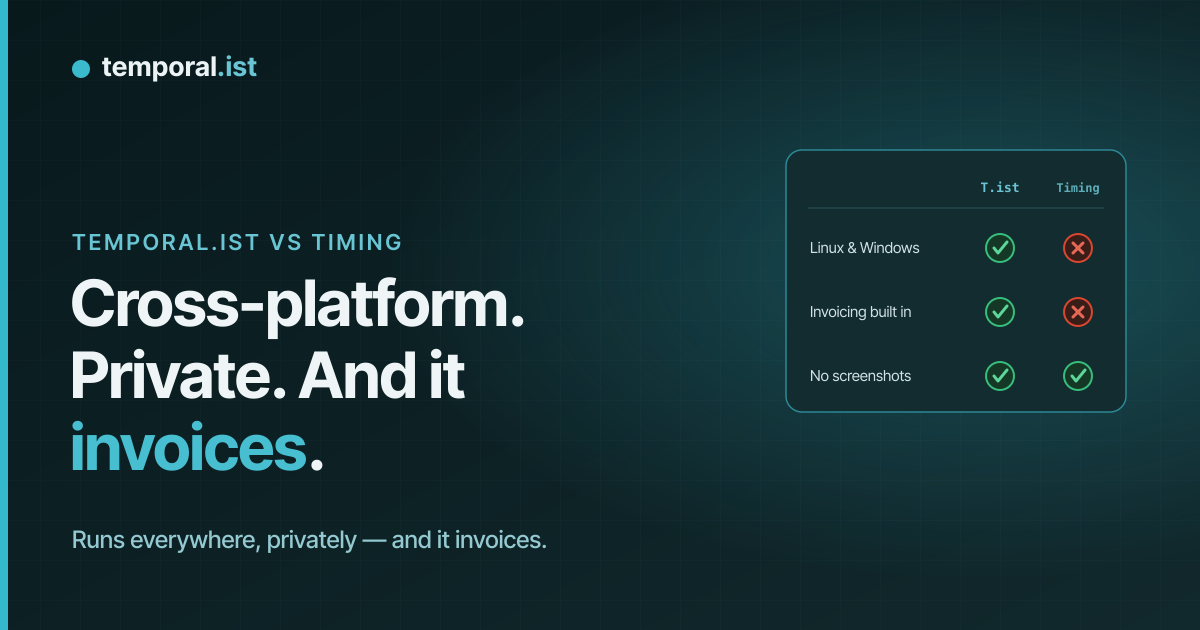
| Screenshots / activity monitoringTie | Never — no screenshots, keystroke logging or productivity scoring | No screenshots — monitors app, document and website usage |
| Built-in invoicingAdvantage: Temporal.ist | Yes — per-client rates, currencies, tax, PDF export, auto-numbering | No — only via export or integration |
| PlatformsAdvantage: Temporal.ist | Windows, macOS, Linux, AppImage + headless Linux CLI/TUI | macOS only |
| Browser extensionsAdvantage: Temporal.ist | Chrome, Edge, Firefox, Safari with URL-pattern tracking | None — browser usage tracked by the Mac app |
| Mobile appsTie | None yet | None |
| Free planAdvantage: Temporal.ist | Free Solo tier, forever — unlimited folders, no credit card | No free plan (trial only) |
| PricingAdvantage: Temporal.ist | Free Solo tier; paid Pro & Teams plans | ~$9/mo billed annually (~$108/yr) and up |
| Reporting & timeline depthAdvantage: Timing | Time-distribution donut, activity bars, daily timesheets, CSV/PDF reports | Detailed visual timeline + mature, refined productivity reports |
| Maturity & ecosystemAdvantage: Timing | Newer, solo-built indie product; fewer integrations | Established, tens of thousands of users, rich native Mac ecosystem |
| Privacy & data controlTie | EU data residency, GDPR-aligned, one-click export + full delete | Privacy-friendly, local-first Mac app |
Timing is one of the best automatic time trackers on macOS — it watches the apps, documents and websites you use and applies rules to sort that activity into projects, all without a single screenshot. Temporal.ist takes a different route: it attributes time by matching file paths and browser URLs to per-project patterns, and it runs on Windows, Linux and macOS plus four browsers, with invoicing and a free Solo tier built in. If you're 100% Mac this is a genuinely close call; if you're not, or you bill clients, the gap widens fast.
When to choose Temporal.ist
Choose Temporal.ist if your work touches more than macOS — Windows, Linux, an AppImage, or a headless CLI on a server — because Timing simply doesn't run there. Pick it if you bill clients and want invoicing built in rather than bolted on: per-client rates, currencies, tax, PDF export and auto-numbering live in the same app that tracks your time. It's also the better fit if you want automatic tracking tied to specific file paths and browser URLs across Chrome, Edge, Firefox and Safari, or if you want to start free forever on the Solo tier with no credit card. And if EU data residency, GDPR-aligned storage, editable sessions, and one-click export or full delete matter to you, those are first-class here.
When to choose Timing
Choose Timing if you work entirely on a Mac and want the most polished native automatic tracker available. It tracks every app, document and website system-wide and uses a genuinely excellent rules engine to auto-categorize that activity into projects — no manual timers, no screenshots. Its visual timeline and productivity reports are more mature, detailed and refined than ours, backed by years of focused macOS development and a user base in the tens of thousands. Because it's a local-first Mac app, your data stays on your machine, so you're not trading privacy for that polish. If macOS is your whole world, you don't need Windows, Linux or cross-browser extension tracking, and you're comfortable handling invoicing through Timing's export or a third-party integration, it's a safe, well-supported choice — and one a newer, solo-built indie product like ours can't yet match on native-Mac depth, reporting maturity or ecosystem.
Side-by-side
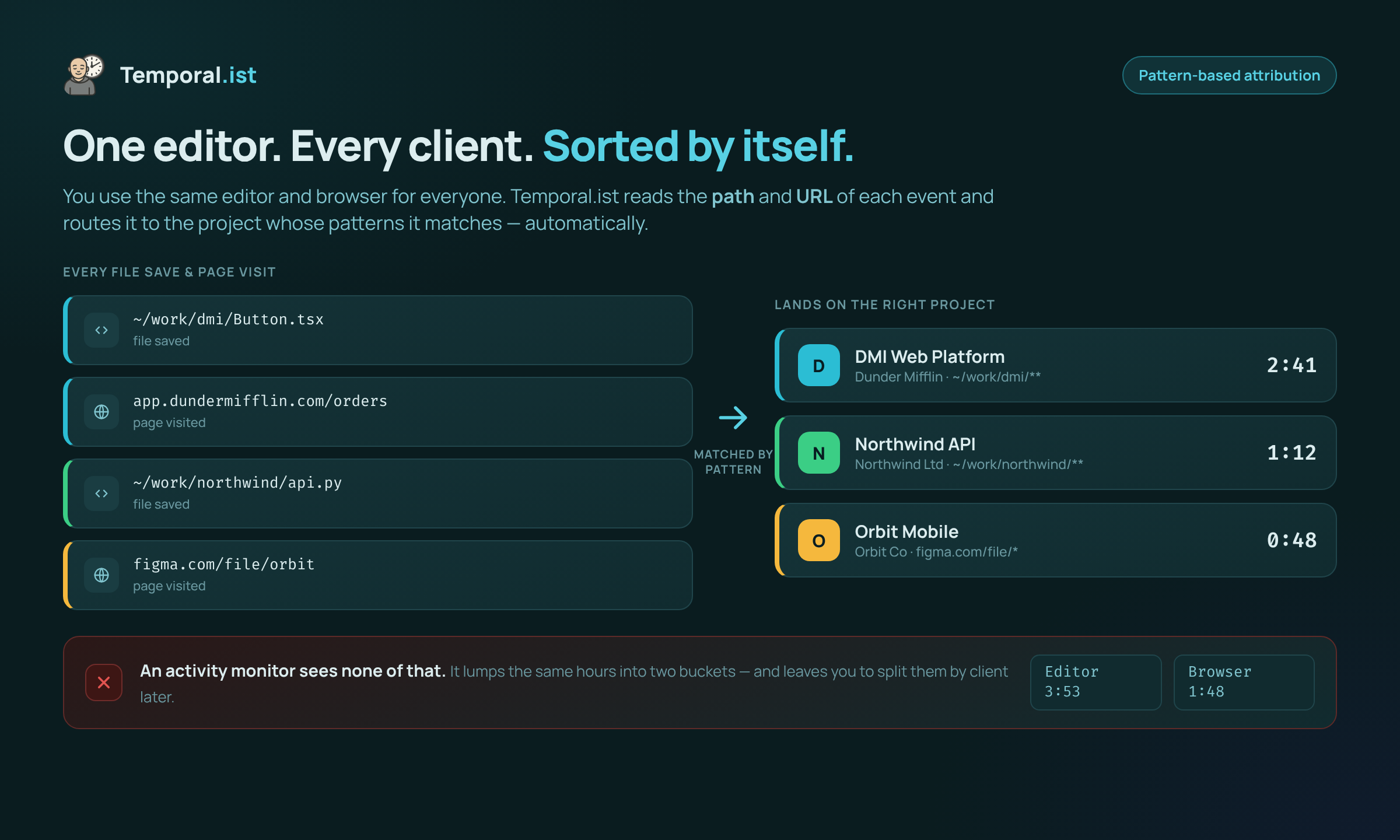
Time is attributed to the right project by file path and URL — no manual tagging.
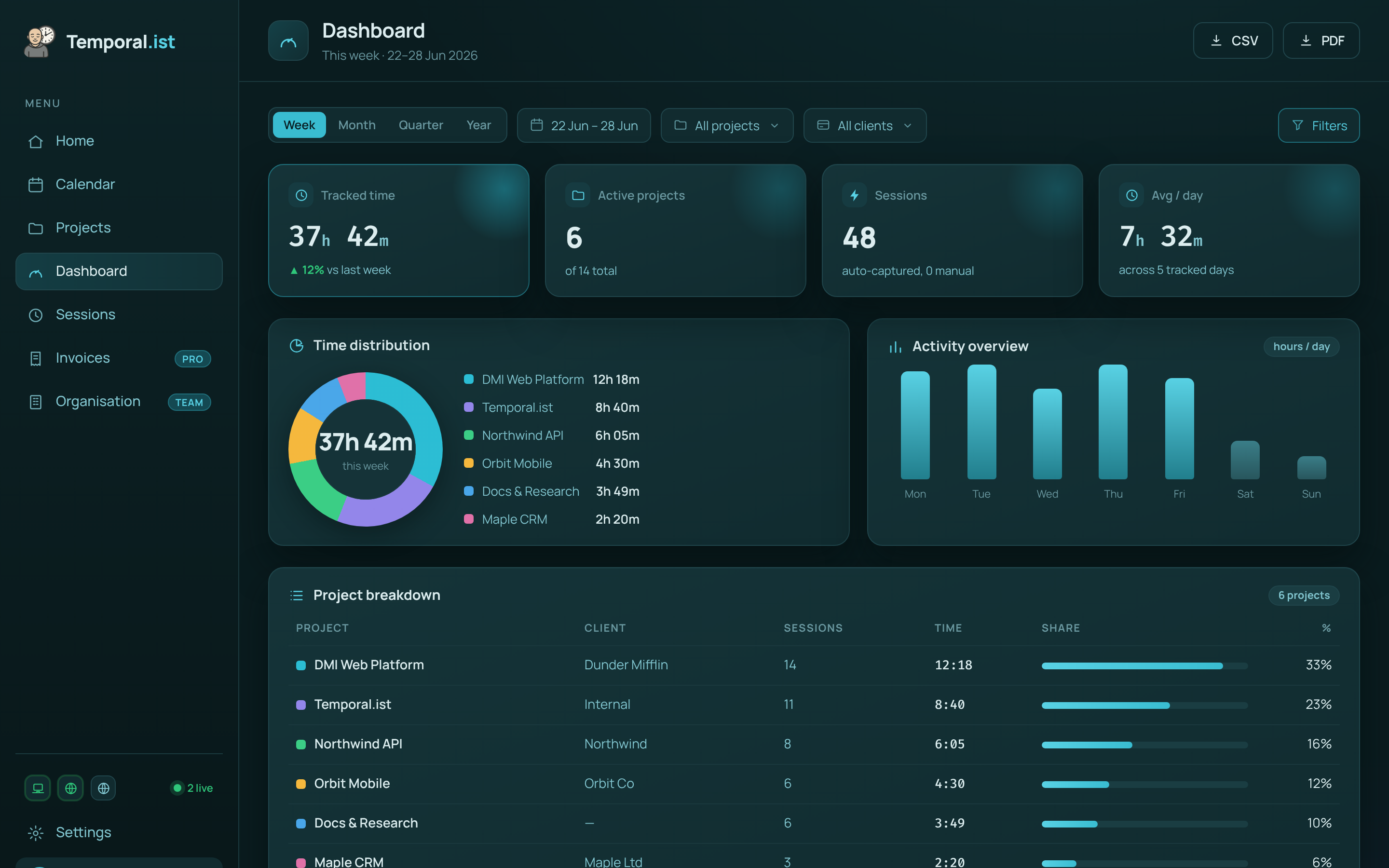
Hours are captured automatically and roll up per project and client, ready to invoice.